How EPC Atlas works
From property intelligence to a prepared prospecting campaign
Define the campaign, filter the properties, prepare the contact workflow, apply the appropriate screening and organise the calls in CallDesk.
The complete workflow
Seven stages, with the property reason kept visible.
The aim is to move from a broad data source to a more focused campaign without losing the reason each property was selected.
1–3: define the campaign
Decide what a useful property looks like before outreach begins.
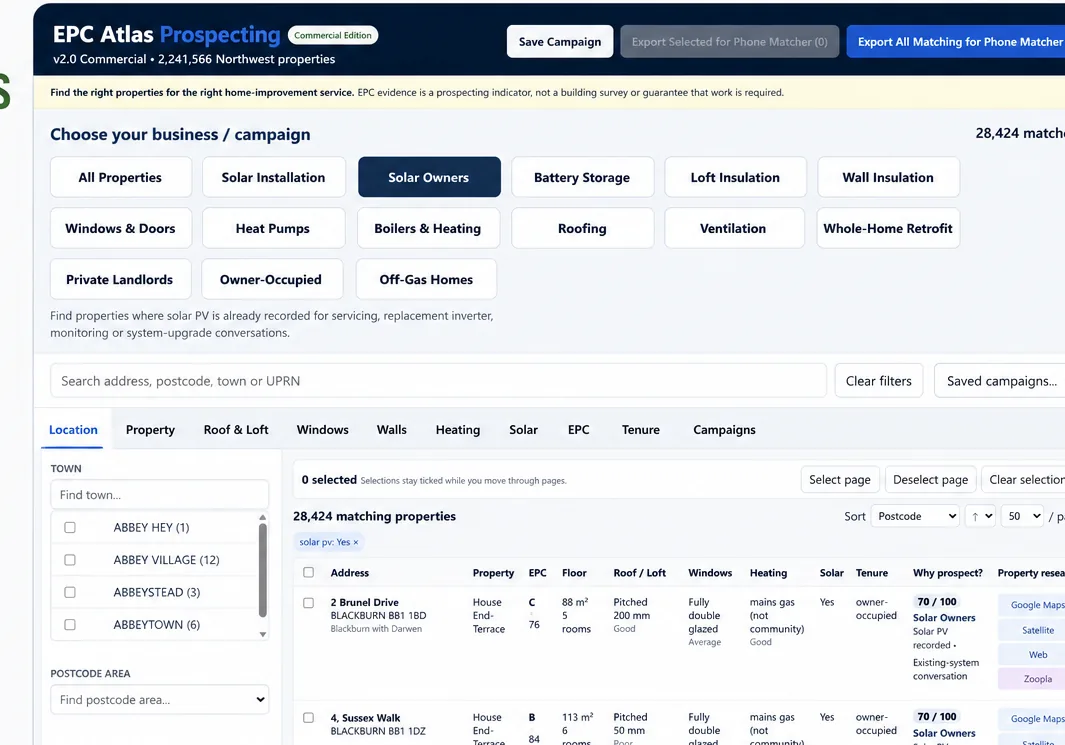
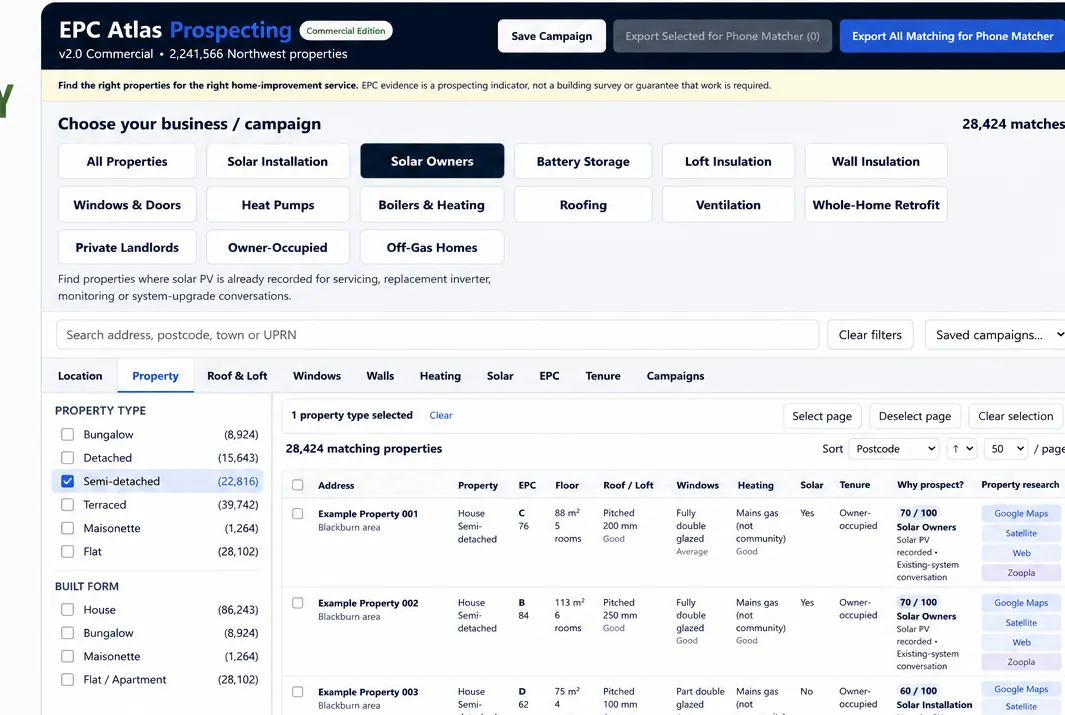
Location, property type and product-specific evidence can be layered together. A solar campaign can use different signals from an insulation, windows or heating campaign.
- Choose geography and property type
- Select the evidence relevant to the product
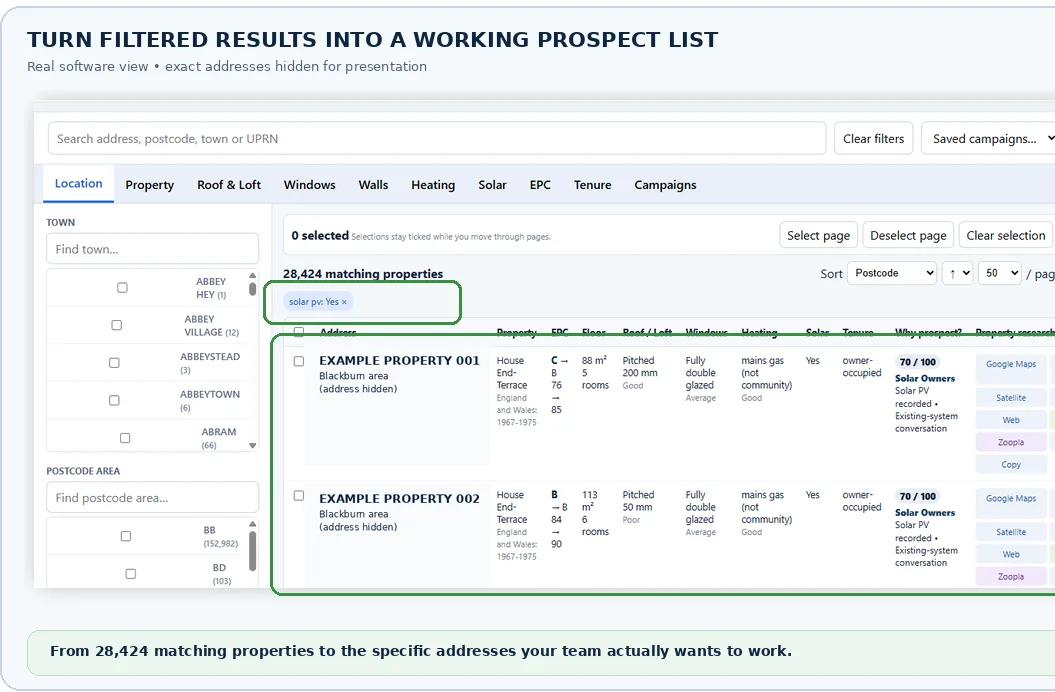
- Preview and export a working list
- Keep the selection reason available for the next stage
4–5: prepare and screen
Contact preparation and compliance are separate stages.
The Phone Matcher can be used to prepare contact matching from relevant directory data. The resulting records still need the appropriate screening and suppression process before telephone marketing activity begins.
EPC Atlas is designed to keep those stages visible rather than presenting matching as marketing permission.
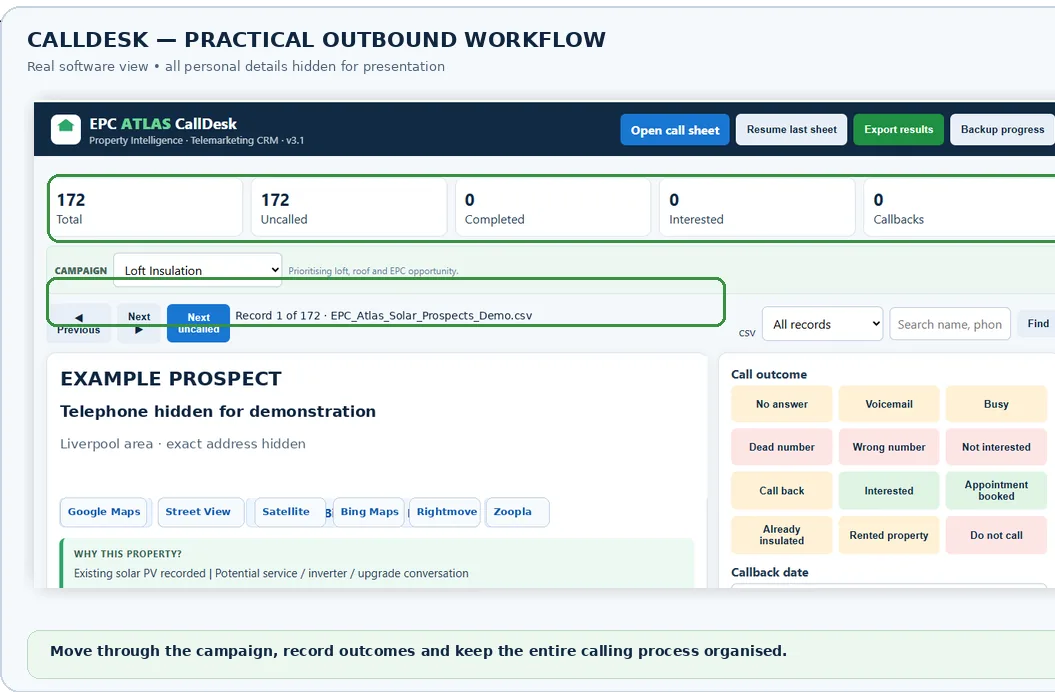
6–7: work the campaign
Use CallDesk for the activity that follows.
Once the business has completed its required preparation and screening, CallDesk provides an organised place for calls, outcomes, notes, callbacks and appointments.